Worried about document fraud1? Counterfeiters easily copy standard certificates. UV ink2 offers a hidden security layer, but its effectiveness depends entirely on how it's used and integrated.
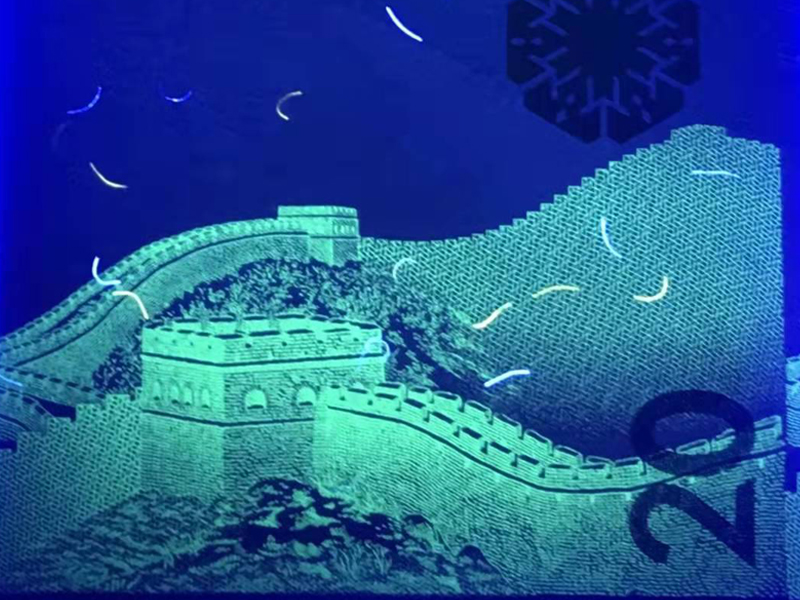
Governments use UV ink2 to protect critical documents by adding invisible security features3s](https://genuine-printing.com/product/security-paper/)%%%FOOTNOTE_REF_4%%%. These features, like hidden text or patterns, only appear under ultraviolet light, allowing for quick and reliable authentication5 while making it difficult for counterfeiters6 to replicate the original document accurately.
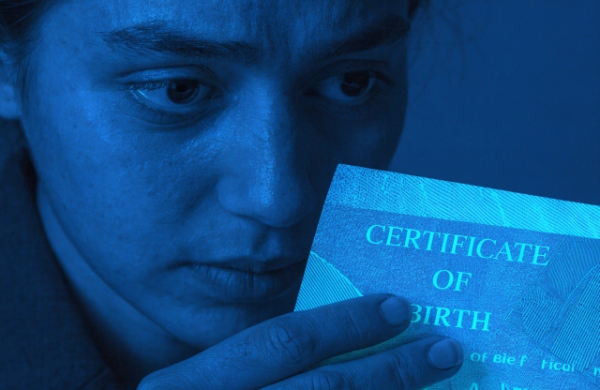
You might think adding a UV logo is enough to secure a document. However, the world of security printing is far more complex than that. Let's explore how this technology truly works and what separates a basic feature from a government-grade security system.
-
The Science of Fluorescence
The ink contains special compounds called phosphors. When UV light, which is a form of energy, hits these phosphors, they absorb that energy. They can't hold it for long, so they immediately release it as visible light. This is the glow we see. Different phosphors react to different wavelengths of UV light, like short-wave (254 nm) or long-wave (365 nm). This allows us to create multi-level security features7s](https://genuine-printing.com/product/security-paper/)%%%FOOTNOTE_REF_4%%%. For example, one image might appear under long-wave light, and a different one under short-wave. This is why the security paper8 itself must be "UV dull," meaning it contains no Optical Brightening Agents (OBAs) that would cause the whole page to glow and obscure the ink's effect. It’s a complete system that must work together.
Why Is UV Ink So Crucial for Security Printing?
Choosing security features4 can be overwhelming. You need something effective but also practical. Picking the wrong one wastes your budget and leaves documents vulnerable to sophisticated forgeries.
UV ink2 is crucial because it offers covert security. Unlike visible features, it's not obvious to counterfeiters6, making it harder to find and replicate. It also allows for fast, on-the-spot verification with a simple UV lamp, making it ideal for field inspections by officials.
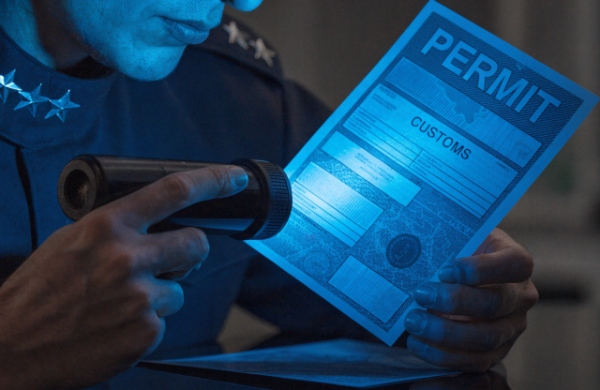
The value of UV ink2 isn't just that it glows; it's about where it fits into a larger security strategy. It serves as a critical second-level security feature, meaning it requires a tool for verification.
A Multi-Layered Defense Role
This is different from first-level features like watermarks (visible to the naked eye) or third-level features that require lab equipment. UV ink2 bridges this gap perfectly. It's hidden from the casual observer but easily checked by anyone with the right tool. This makes it incredibly versatile. Think of it this way:
| Security Level | Feature Example | Verification Method |
|---|---|---|
| Level 1 (Overt) | Hologram, Watermark | Unaided Eye |
| Level 2 (Covert) | UV Ink, Microtext | Simple Tool (UV Lamp, Magnifier) |
| Level 3 (Forensic) | Chemical Taggants | Laboratory Equipment |
Its ability to integrate with other elements, like security paper8 or serial numbers, transforms it from a simple mark into a verifiable link in a chain of security. This layering approach is fundamental to creating documents that are truly difficult to forge.
What Are the Different Types of UV Ink Used in Anti-Counterfeiting?
Thinking all UV ink2 is just simple invisible ink? This common mistake leads to predictable security features4 that counterfeiters6 can easily bypass. The reality is much more complex.
The main types are invisible UV ink2 (hidden until exposed to UV light), visible UV ink2 (faintly colored in normal light, glows brightly under UV), and dual-mode ink that changes color. Professionals choose the type based on the document's specific security needs and risk profile.
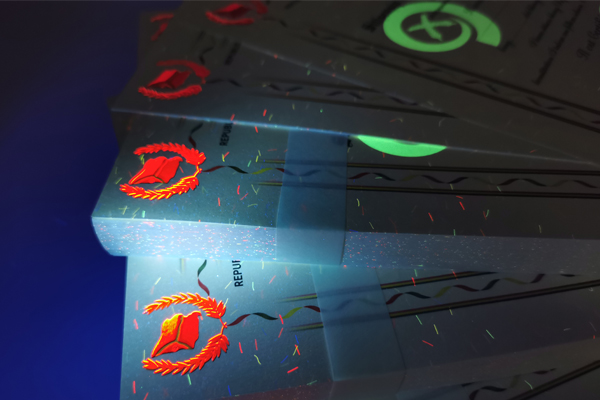
Not all security situations are the same, so we don't use the same UV ink2 for everything. The choice depends on the document's purpose and how it will be inspected.
Choosing the Right Tool for the Job
Invisible UV ink2 is the most common choice for covert marks like serial numbers or background patterns. We can even print with multiple invisible colors—for example, a pattern that shows up as red and blue under a UV lamp. Visible UV ink2 is useful for logos or seals that need to be seen in normal light but require an extra verification step. Dual-mode inks are more advanced, perhaps appearing green in daylight but glowing orange under UV light, which is very difficult to replicate. It's also vital to distinguish UV ink2 from other UV features. UV fluorescent fibers are embedded inside the paper during its creation, while a UV varnish is a clear coating applied over the printing. Each has a role, and we often combine them for layered security.
Is UV Ink Alone Enough to Stop Counterfeiters?
So you've added a UV feature to your document. You feel it's now secure, right? This is a dangerous assumption and a weakness that professional forgers actively look for.
No, UV ink2 alone is not enough. Commercially available UV ink2s make it easy for counterfeiters6 to imitate simple, isolated features. Its true strength comes from being integrated into a complex system with other security elements like microtext9, guilloche patterns10, and security paper8.
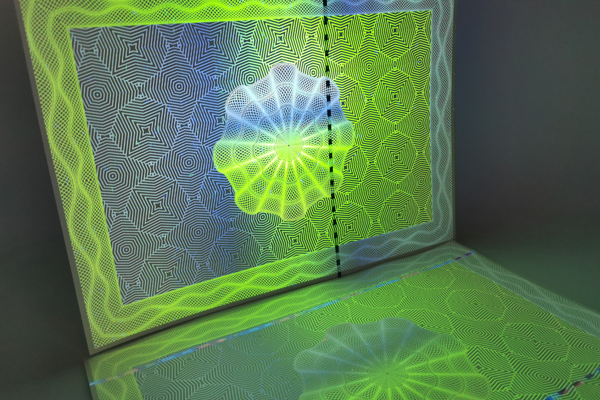
This is a critical point that many people miss. A counterfeiter doesn't fear a single feature; they fear a complex, integrated system. A simple UV logo placed in a corner is an easy target.
Exploiting Common Weaknesses
Why? Because they can buy off-the-shelf UV ink2 and a simple screen printer to replicate it. We've seen cases where forgers do this with surprising accuracy. The most common weaknesses we see are:
- Predictable Placement: Always putting the UV feature in the same spot.
- Simple Design: Using a basic logo or a single word.
- Isolation: The UV feature has no connection to anything else on the document, like a serial number or a watermark. A professional forger will analyze a document for these flaws. If they find a simple, isolated UV mark, they see it as an easy challenge, not a barrier. True security comes from making the replication process too difficult, too time-consuming, and too expensive to be worthwhile.
How Do Professionals Upgrade UV Ink for Maximum Security?
You understand that a basic UV logo is not secure. But what are the next steps? Without this knowledge, your documents remain at risk from more determined counterfeiters.
Professionals upgrade UV security by making it complex and unpredictable. They use techniques like UV microtext9, intricate patterns that are hard to copy, and printing UV features in tight registration11 with other visible elements. This integration makes replication exponentially more difficult and expensive.
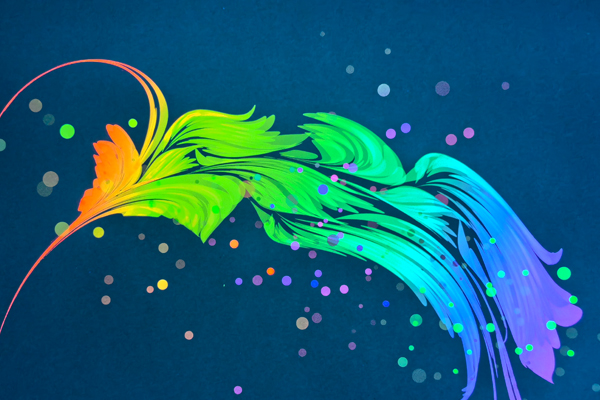
The goal is to move beyond a simple "pass/fail" check and create a feature that is incredibly difficult to reproduce with the correct precision. This is how we do it.
Raising the Barrier for Forgers
First, we use UV microtext9. This is tiny text, invisible to the naked eye even under UV light, that can only be read with a magnifier. It’s hard to print and even harder for a forger to replicate. Second, we design complex, non-repeating patterns (guilloche). These are not simple logos but intricate, flowing lines that are a nightmare to copy accurately. Third, we practice tight registration11. This means we print the UV ink2 so it aligns perfectly with another feature, like the edge of a watermark or a specific printed line. This requires industrial-grade printing presses that counterfeiters don't have. Finally, we link the UV ink2 to variable data, like a serial number that is also printed in UV ink2. This creates a unique link on every single document.
How Does UV Ink Work with Security Paper and Printing Processes?
Many people focus only on the UV ink2. But even the most advanced ink will fail if you print it on the wrong paper or use an unsuitable printing process.
UV ink2's effectiveness depends heavily on the materials used. It requires special "UV dull" security paper8 without optical brighteners to be visible. The printing process—like offset or intaglio—also affects its clarity, durability, and registration accuracy, making a holistic approach essential.
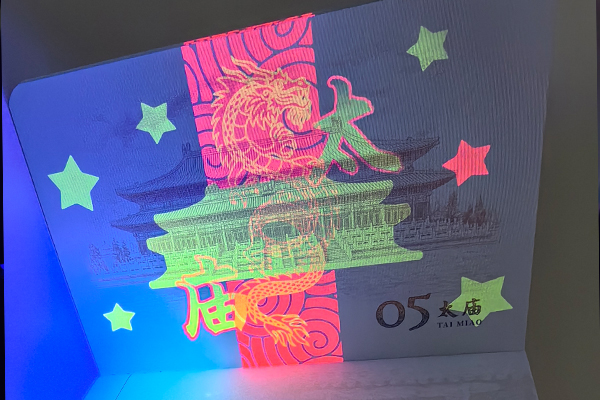
A security feature is only as strong as its weakest link. For UV ink2, the paper and printing method are just as important as the ink formula itself.
The Foundation of Security: Materials and Methods
First, the paper must be security-grade paper. This means it has no Optical Brightening Agents (OBAs). Regular office paper is full of OBAs to make it look bright white, but under a UV lamp, the whole page would glow, making the UV ink2 invisible. Security paper is "UV dull," providing a dark, non-reflective background. Second, the printing process matters. Each method offers different advantages:
| Printing Process | UV Ink Application Characteristics |
|---|---|
| Offset Printing | Excellent for fine lines and complex background patterns. |
| Screen Printing | Lays down a thick, bright layer of ink, good for bold logos. |
| Intaglio Printing | Creates a raised, tactile feel, very hard to replicate. |
We choose the process based on the desired effect. For a complex pattern, offset is best. For a bright, simple seal, we might use screen printing. This careful selection is key.
How Do You Design a Government-Grade UV Ink Security System?
You need top-tier, government-grade security for your documents. Simply adding more features is a common and costly mistake that doesn't always increase protection against skilled forgers.
A government-grade system is designed through a strategic process. It starts with a threat assessment12, determines the inspection environment13, and layers multiple security features4 (UV ink2, paper, print logic) together. The goal is a balanced, cost-effective system that closes real-world vulnerabilities.
Building a truly secure document isn't about throwing every possible feature at it. It's a thoughtful, strategic process based on risk. At my company, we follow a clear methodology.
A Strategic, Not Additive, Approach
- Threat Assessment: First, we ask: who are we trying to stop? Is it a casual opportunist with a scanner, or an organized criminal group with professional equipment? The answer dictates the required security level.
- Inspection Environment: We also consider where the document will be verified. Will it be in a controlled office environment with advanced tools, or by a police officer in the field with only a pocket UV light? The features must be practical for the intended verifier.
- Security Layering: We then design a system where features work together. For instance, the UV ink2 pattern might align with a watermark in the security paper8, and both are referenced by a printed QR code.
- Cost-Risk Balance: Finally, we find the sweet spot between cost and security. It's about adding the right features to stop the most likely threats, not just adding the most expensive ones. This is what creates a robust and sustainable security system.
Conclusion
UV ink2 is a powerful tool in modern security printing. Its real strength isn't in the ink itself, but in the intelligent design and integration with other security elements.
Explore effective strategies to safeguard your documents against fraud and counterfeiting. ↩
Learn about the unique properties of UV ink and its role in enhancing document security. ↩
Discover how invisible features can enhance the security of your important documents. ↩
Learn about various security features that can protect your documents from forgery. ↩
Find out how UV ink can streamline the authentication process for critical documents. ↩
Understanding counterfeiter techniques can help you better protect your documents. ↩
Explore the importance of layered security features in preventing document forgery. ↩
Understand the significance of using security-grade paper in document security. ↩
Discover how microtext enhances document security and makes forgery more difficult. ↩
Learn how intricate guilloche patterns can deter counterfeiters effectively. ↩
Find out how tight registration improves the accuracy and security of printed documents. ↩
Learn how to evaluate risks and enhance your document security strategy. ↩
Understand how the inspection context affects the choice of security features. ↩