
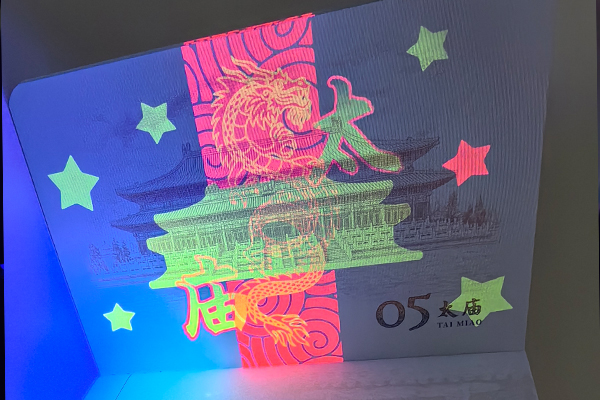
Worried about fake diplomas1 damaging your university's name? These forgeries devalue legitimate degrees. We protect your reputation with advanced, multi-layered security features2 on every certificate we print.
To protect diplomas, universities must use specialized security printing3. This includes features like custom watermarks4, holographic overlays5, color-shifting inks6 (OVI), and unique QR codes7 or NFC chips. These elements make certificates extremely difficult to copy and easy to verify, ensuring their authenticity.
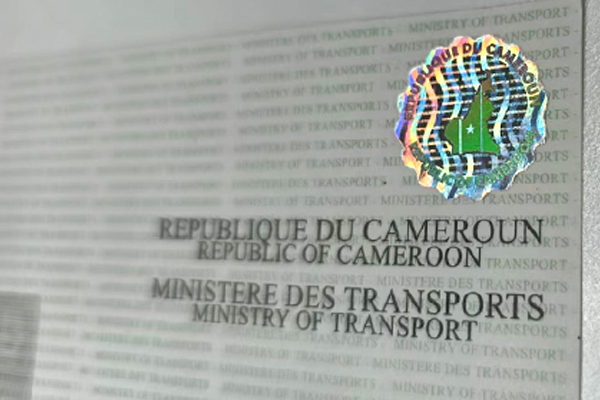
For over 15 years, we've helped institutions like yours secure their most important documents. The threat of academic fraud8 is very real, but the solutions are powerful and accessible. It’s not just about one security trick; it’s about building layers of defense that work together to create a document that is nearly impossible to fake. I've seen firsthand how a well-designed certificate can stop counterfeiters in their tracks. Let's look at how these features build that essential wall of security, one layer at a time.
How do holograms and watermarks provide the first line of defense?
Do simple printed certificates look secure enough? They are easy targets for modern scanners and high-quality printers. We embed security you can see and feel, making forgery obvious at a glance.
Holograms and watermarks are classic, overt security features2. A custom hologram is almost impossible to replicate without the original master design. A watermark is embedded into the paper itself during production. Both are quick, visual checks for authenticity that a simple photocopy cannot capture.
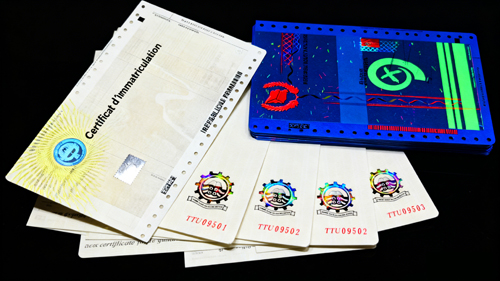
These two features are the most recognizable signs of a secure document. They are your first and fastest way to spot a fake. A hologram is a complex, multi-layered image that appears three-dimensional. When you tilt it, the colors and image shift. A forger can't scan this effect. They might try to mimic it with a shiny sticker, but it will look flat and lifeless. I remember a client who caught a fake diploma simply because the "hologram" didn't move.
A watermark works differently. It's created by varying the paper's thickness during manufacturing. When you hold the certificate up to the light, your university's logo or crest appears as a faint, elegant image within the paper. It’s part of the paper, not printed on it. This makes it impossible to add later or copy with a printer.
Comparing Overt Security Features
| Feature | How it Works | How it Stops Forgery |
|---|---|---|
| Custom Hologram | A multi-layered laser recording that reflects light in unique ways. | Cannot be scanned or photocopied. Extremely expensive and difficult to replicate. |
| Custom Watermark | An image pressed into the paper pulp during manufacturing. | Part of the paper itself. Invisible to scanners. Only visible when held to light. |
Can advanced inks like OVI truly stop counterfeit diplomas9?
A forger copies your certificate's colors perfectly with a high-end printer. But what if the colors changed when you tilted the document? Standard inks can't do that, but our security inks can.
Yes, inks like Optically Variable Ink (OVI)10 are highly effective. OVI changes color when you tilt the document. This effect is created with special microscopic pigments and cannot be replicated by standard CMYK printers or photocopiers, making it a powerful anti-counterfeiting tool.
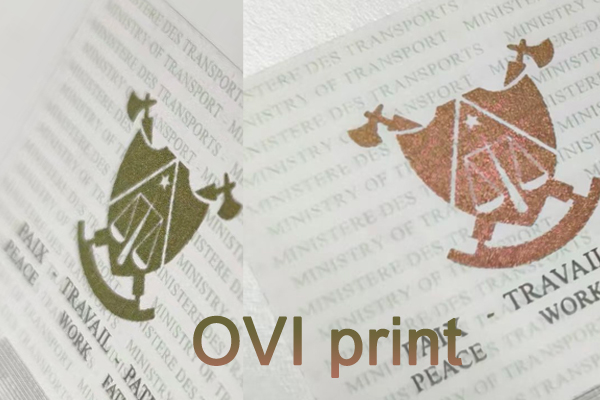
Think of OVI as a chameleon for your certificates. We often use it for a university's seal or an important logo. For example, it might shift from a deep green to a brilliant gold as you move it in the light. This is not a trick of the light; the ink itself is engineered to reflect light in different ways from different angles. No commercial printer can mix inks to do this. It’s a feature used on high-value banknotes for a reason—it works.
But OVI is just one tool in our ink arsenal. We also use UV invisible ink11. This ink is completely invisible to the naked eye. However, when you place the certificate under a UV (black) light, a hidden message, logo, or pattern appears in bright fluorescent color. It’s a fantastic covert feature that only someone in the know can check for.
Advanced Security Ink Options
| Ink Type | How it Works | Verification Method |
|---|---|---|
| Optically Variable Ink (OVI)10 | Special pigments reflect different colors at different angles. | Tilt the document to see the color shift. |
| UV Invisible Ink | Fluorescent dyes are invisible in normal light. | Place under a UV (black) light to reveal. |
| Thermochromic Ink | Heat-sensitive ink that temporarily disappears or changes color. | Apply gentle heat (like a thumb press) to see the change. |
Why are QR codes and serial numbers essential for modern certificate verification?
A physical certificate looks real, but how can an employer or another institution verify it instantly? Without a digital link, verification is slow and creates extra work for your staff. We connect your physical documents to a secure digital database.
QR codes and unique serial numbers link a physical certificate to a secure online database12. Anyone can scan the code with a smartphone to instantly verify the graduate's name, degree, and date of issue. This provides fast, reliable, and remote authentication for everyone.
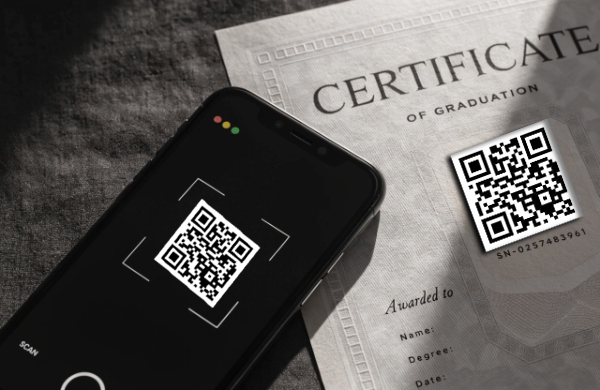
This feature bridges the gap between your physical document and the digital world. Each certificate we print receives a totally unique QR code and serial number. This information is linked to a specific entry in a secure database that you control. When a potential employer receives a resume with a degree from your university, they don't have to call your registrar's office anymore. They just scan the QR code on the certificate. Their phone will open a secure webpage showing the official, confirmed details for that specific graduate.
This system offers two huge benefits. First, it provides immediate, undeniable proof of authenticity. A fake certificate won't have a valid code that links to your official database. Second, it saves your administrative staff an incredible amount of time. I worked with a university in Bolivia, and they told us this feature alone saved their registrar’s office hundreds of hours per year by reducing verification calls and emails.
Manual vs. Digital Verification
| Verification Step | Manual Process (Phone/Email) | QR Code Process (Instant) |
|---|---|---|
| Initiation | Employer calls or emails the registrar. | Employer scans the QR code with a phone. |
| Time Delay | Can take hours or days to get a response. | Instant. Verification happens in seconds. |
| Staff Workload | High. Staff must manually search records and respond. | None. The process is fully automated. |
| Security | Relies on human confirmation, potential for error. | Relies on a secure, encrypted database link. |
Is integrating NFC chips the future of secure university documents?
QR codes are a fantastic tool, but a clever forger could copy a valid QR code onto a fake document. But what if the document itself had a digital brain? NFC technology embeds a secure, un-clonable chip right inside.
Yes, NFC (Near Field Communication) chips represent the next level of document security13. An encrypted chip is embedded within the paper or card. Tapping a smartphone to the certificate can launch a secure verification page, making it far more secure than a simple, scannable QR code.
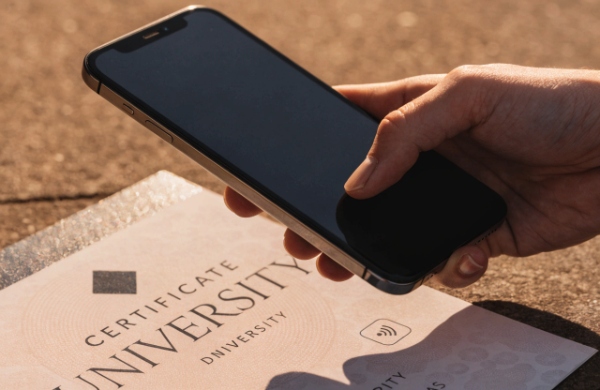
NFC is the same technology used in your contactless credit cards. It’s a small chip and antenna that we embed directly into the certificate paper. Unlike a QR code, which is just a printed image, an NFC chip is an active piece of technology. It can be encrypted and is much harder to clone. When someone taps their smartphone on the certificate, the chip securely communicates with the phone and can direct it to a verification webpage.
This is a game-changer because it proves the physical document itself is genuine, not just that the information on it is correct. We are seeing more government agencies and banks adopt this for ID cards and high-security permits. I believe it is only a matter of time before it becomes the gold standard for high-value academic documents. It’s the ultimate link between the physical item and its digital identity, creating a "smart certificate" that is exceptionally difficult to forge.
Comparing Digital Verification Technologies
| Feature | QR Code | NFC Chip |
|---|---|---|
| Technology | A printed, 2D optical image. | An embedded microchip and antenna. |
| Security | Can be copied and printed on a fake document. | Encrypted and very difficult to clone. |
| User Action | Point camera and scan from a distance. | Must tap the phone directly on the chip's location. |
| Cost | Lower cost to implement. | Higher cost, but offers superior security. |
What makes security paper14 the foundation of a fake-proof certificate?
You can add many high-tech features to a certificate. But what if the forger just uses regular office paper? The entire security system fails. The foundation itself must be secure. Our paper is impossible to buy off the shelf.
Security paper is the essential base layer of protection. It is not available to the public and contains features like embedded security fibers, chemical reactants that show smudges if altered, and a custom watermark. These features make the paper itself a powerful security device.
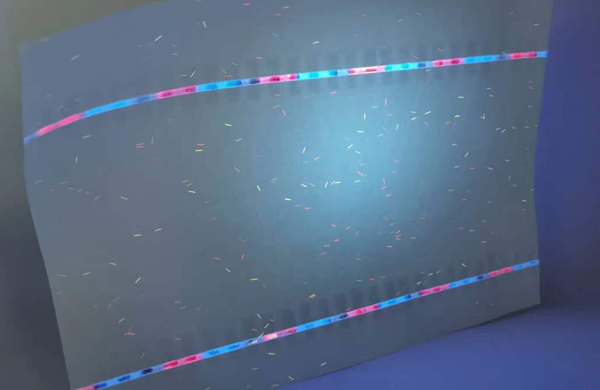
You cannot build a strong house on a weak foundation. At our company, every security consultation begins with the paper. It's the one thing a forger can't easily source or replicate. Our security paper14 is made with features mixed right into the pulp. This includes tiny colored security fibers, some visible to the naked eye and some that only glow under UV light.
Furthermore, the paper is coated with a chemical reactant. If a forger tries to use a solvent like bleach to erase a name or date, a visible stain or smudge will instantly appear, permanently damaging the document and revealing the alteration attempt. We can also weave in a security thread, just like you see in banknotes—a thin metallic or holographic strip that runs through the paper. All these features, combined with the custom watermark we discussed earlier, create a unique and secure canvas for your certificates.
Standard Paper vs. Security Paper
| Feature | Standard Office Paper | Our Security Paper |
|---|---|---|
| Availability | Publicly available everywhere. | Controlled and not sold to the public. |
| Fibers | Plain white pulp. | Contains embedded colored and/or UV fibers. |
| Chemical Protection | None. Text can be erased with chemicals. | Reacts to solvents, leaving a permanent stain. |
| Watermark | None. | Custom watermark embedded during production. |
| Security Thread | None. | Option to embed a metallic or holographic thread. |
Conclusion
In short, protecting your university's reputation means using layered security. By combining features like holograms, special inks, and digital verification15, your certificates become powerful symbols of authentic achievement.
Understanding the consequences of fake diplomas can help universities protect their reputation. ↩
Learn about the most effective security features that can protect diplomas from forgery. ↩
Learn about security printing techniques to enhance the protection of important documents. ↩
Discover how custom watermarks can make certificates more secure and difficult to forge. ↩
Explore the advantages of holographic overlays in preventing document forgery. ↩
Find out how color-shifting inks can provide an extra layer of security for certificates. ↩
Learn how QR codes can streamline the verification process for academic credentials. ↩
Explore the serious implications of academic fraud on educational institutions. ↩
Discover effective strategies for universities to combat counterfeit diplomas. ↩
Discover how OVI can be a powerful tool against counterfeit documents. ↩
Explore the benefits of UV invisible ink for covert security features. ↩
Understand the importance of a secure online database in verifying academic credentials. ↩
Stay updated on the latest trends and technologies in document security. ↩
Learn about the essential characteristics of security paper that prevent forgery. ↩
Find out how digital verification can enhance the security and efficiency of document authentication. ↩